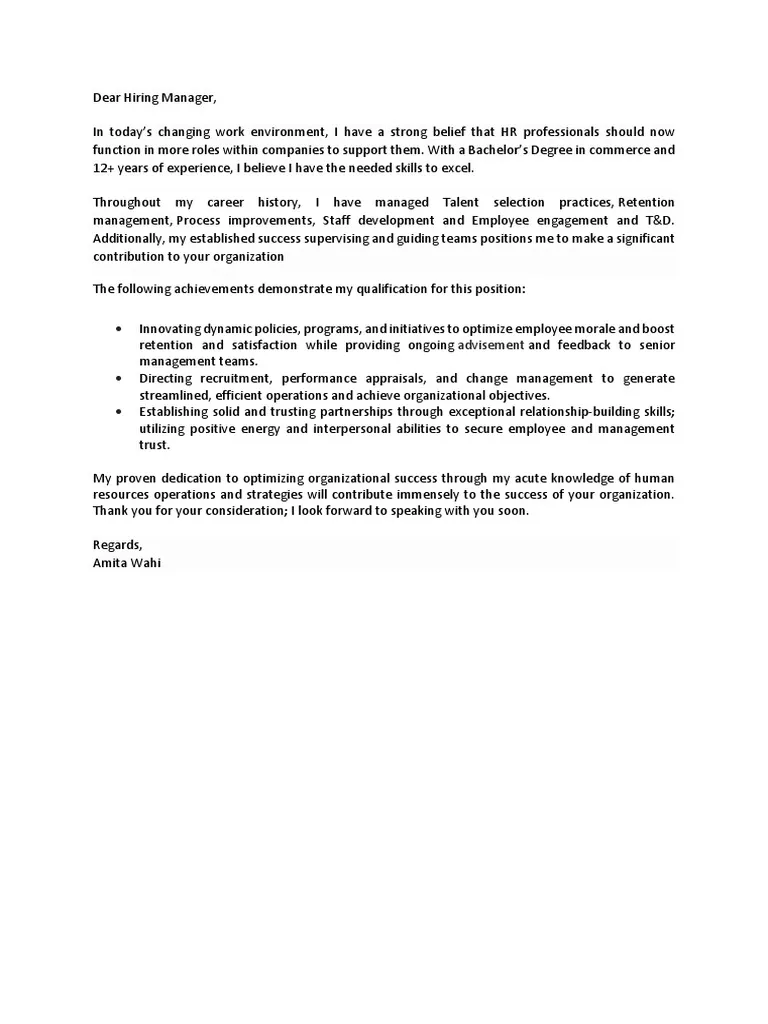
What is a Resume Cover Letter PDF
A resume cover letter PDF is a formal document that accompanies your resume when applying for a job. It serves as an introduction, allowing you to highlight your qualifications, skills, and experiences in a way that directly relates to the specific job you’re applying for. Unlike a resume, which provides a factual overview of your career, a cover letter allows you to express your personality, demonstrate your enthusiasm for the role, and explain why you are the ideal candidate. The PDF format ensures that your cover letter maintains its formatting across different devices and operating systems, providing a professional presentation to potential employers. Creating a professional-looking PDF is essential in today’s job market, giving you an edge over other applicants.
Importance of a Cover Letter PDF
The importance of a cover letter PDF cannot be overstated. It’s often the first impression you make on a hiring manager, giving you a chance to showcase your communication skills and attention to detail. A well-crafted cover letter PDF demonstrates your genuine interest in the specific job and the company, which can set you apart from candidates who only submit a resume. It also allows you to address any potential gaps or concerns in your resume, providing context and explaining how your skills align with the job requirements. Furthermore, a cover letter PDF allows you to expand on your accomplishments and provide specific examples of your successes, making your application more compelling and memorable.
Formatting Your Cover Letter PDF

Proper formatting is crucial for making a positive impression with your cover letter PDF. A well-formatted cover letter is easy to read and professionally presented. This section will guide you through the key components of formatting your cover letter PDF to ensure it’s polished and effective. Use a clean and readable font like Times New Roman, Arial, or Calibri, with a font size between 10 and 12 points. Maintain consistent margins of 1 inch on all sides, and use single or 1.15 line spacing. Use a clear structure with distinct sections to make it easy for the hiring manager to find the information they need quickly. Ensure the PDF is well-organized and aesthetically pleasing, as this reflects your professionalism and attention to detail.
Header Section
The header section is at the top of your cover letter PDF, typically including your name, address, phone number, and email address. It’s important to ensure this information is accurate and up-to-date. It’s also where you will include the date and the hiring manager’s name (if you know it) and the company’s address. Use a professional-looking font and a clear layout for this section. Consider including a professional email signature, which can be added to your PDF easily. This section sets the stage for your entire application and helps the employer contact you. A well-designed header section shows that you have the basics covered and are attentive to detail.
Contact Information
In addition to your personal contact details, the header should include the date, and the recipient’s information, i.e. the hiring manager’s name, job title, company name, and company address, if available. If you don’t know the hiring manager’s name, address your letter to the hiring manager or the hiring team. This shows that you have researched the company and are serious about the role. Check all the information to avoid errors. Make sure the company address and name are correct to show that you have taken the time to find the correct details for the job application. It is important to make the best first impression.
Body Section

The body section is where you will make your pitch. It should consist of three to four paragraphs, each serving a specific purpose in conveying your qualifications and enthusiasm. The body section gives you the opportunity to explain why you are the perfect candidate for the job. Each paragraph has a specific goal in showing the hiring manager that you are serious about the role. Use this section to highlight your relevant skills and experiences, demonstrate your understanding of the company, and articulate your career goals. This section requires careful planning, and will determine if the hiring manager wants to learn more about you.
First Paragraph
The first paragraph should state the purpose of your letter and the position you are applying for. Mention how you found the job posting and briefly explain why you are interested in the opportunity. It should also grab the reader’s attention and make them want to read more. This paragraph should also convey your enthusiasm and excitement for the job. Keep it concise and to the point, aiming to make a strong first impression. Avoid generic opening statements and tailor the introduction to the specific job and company. This is your chance to show your initial excitement for the opportunity and encourage them to read on.
Second Paragraph
In the second paragraph, highlight your most relevant skills and experiences. Focus on accomplishments rather than just listing your job responsibilities. Use specific examples and quantify your achievements whenever possible. Relate your skills to the job requirements outlined in the job description. Demonstrate how your previous experiences have prepared you for the role. This is your opportunity to provide concrete evidence that you are the right fit for the job, showing them what you have to offer. This is a chance to impress with relevant achievements that align with the job requirements.
Third Paragraph

The third paragraph is where you express your interest in the company and the role. Show that you have researched the company and understand its mission, values, and culture. Explain why you are drawn to the company and the specific position. Connect your career goals with the company’s objectives, demonstrating your long-term commitment. This is also an opportunity to mention how your skills and experiences align with the company’s goals. This paragraph is designed to showcase your genuine interest and commitment to the job and the organization.
Closing Paragraph
The closing paragraph should reiterate your interest and thank the hiring manager for their time and consideration. Indicate your availability for an interview and provide a call to action, such as encouraging them to contact you. Reiterate your enthusiasm for the opportunity and express your confidence in your ability to contribute to the company. Close with a professional sign-off, such as “Sincerely” or “Best regards,” followed by your name. Make sure you thank them for the consideration, and ensure your closing is professional and leaves the hiring manager with a positive impression.
Tips for a Standout Cover Letter PDF
To create a truly standout cover letter PDF, there are a few more tips. These will help you gain the attention of the hiring manager. A standout cover letter PDF needs to be unique to gain the attention of the hiring manager. It is important to tailor your cover letter PDF to each job. This shows that you have taken the time to understand the role and the company’s needs. A generic cover letter is easily spotted and will likely be discarded. Spend time carefully writing, and focus on presenting yourself as the ideal candidate. Be sure to focus on accomplishments and include quantifiable results to make your application more compelling.
Use Action Verbs

Using strong action verbs will make your cover letter more dynamic and engaging. Verbs like “managed,” “led,” “developed,” “achieved,” and “implemented” can make your accomplishments more impactful. Avoid passive language and opt for active verbs that demonstrate your skills and experiences. Focus on showing, not just telling. Using action verbs will help your resume cover letter PDF stand out. It shows that you are a proactive and results-oriented candidate. This will improve the overall impact and effectiveness of your cover letter.
Highlight Skills and Achievements
Focus on the skills and accomplishments that are most relevant to the job. Highlight your accomplishments to provide concrete evidence of your abilities. Quantify your achievements whenever possible, using numbers and data to demonstrate your impact. Provide specific examples of how you have succeeded in past roles, and how you can bring value to the company. Focus on showcasing skills that align with the job description. This will quickly show the hiring manager you have the key skills for the job.
Proofread Carefully
Proofreading is critical. Errors will immediately undermine your credibility and make you look unprofessional. Carefully review your cover letter PDF for any spelling, grammar, or punctuation mistakes. Have a friend or family member proofread it as well, as a fresh pair of eyes can often catch errors you might have missed. Before submitting, double-check all the contact information, including your name, phone number, email address, and the hiring manager’s details. Taking this step will ensure your application is polished and error-free, which is crucial to making a positive first impression.
Saving and Submitting Your Cover Letter PDF

Once you have created your cover letter PDF, it’s important to save and submit it correctly. It is important to save it in the right format and with a professional name. This helps the hiring manager know that you are a professional candidate. You must also follow the instructions provided by the employer. Saving it correctly will ensure your cover letter is delivered professionally, and gives you the best chance of being considered. This section covers the best practices to make sure your cover letter PDF is submitted correctly and presents your application in the best possible light.
File Naming Conventions
Use a clear and professional file name. It should include your name and the words “cover letter” to help the hiring manager easily identify your document. Avoid using generic names like “cover letter” or “document.” Include your name and the job title in the file name, such as “JohnDoe_CoverLetter_ProjectManager.pdf”. When you are applying for multiple jobs, it is important to differentiate the files for each job. This creates a professional image, and makes it easy for the hiring manager to find your documents.
Best PDF Software
There are many PDF software options available to help you create and manage your cover letter PDF. Some free options include LibreOffice Writer, Google Docs (with a PDF export option), and online PDF editors. Paid options, such as Adobe Acrobat Pro, offer more advanced features like editing, merging, and signing. Choosing the right software depends on your needs and budget. Make sure the software allows you to create professional-looking documents, convert various formats to PDF, and easily edit your cover letter. Experiment with free trials to find which software works best for you. This will streamline the process of creating and editing your cover letter PDF.
Troubleshooting PDF Issues

Sometimes you may encounter problems. This is a list of how to solve them. Making sure you are prepared for these issues will save you time. It is also important to know how to handle issues if they arise. Make sure you follow the instructions on the job site or job posting. There are common problems when submitting PDF cover letters. Learning about these will prepare you for any issues.
Common PDF Problems
One of the most common problems is formatting issues. Ensure your document displays as intended on different devices and operating systems. Inconsistent formatting can happen when the PDF is created using an unsupported program, so test your PDF to make sure it works. Another problem is file size. Sometimes, the file size exceeds the limits. If the file size is too large, compress the PDF without losing the quality. You can use online tools to reduce the file size. Another problem is the inability to open the PDF. Make sure the PDF is not password-protected or corrupted. Double-check that your software is up-to-date and can open the file. Another problem can be that the file is not named correctly, so check the requirements for the file name. This will help you avoid issues when submitting your resume cover letter PDF.
Conclusion
Creating a professional resume cover letter PDF is crucial for making a strong first impression and increasing your chances of landing a job. By following the guidelines outlined in this guide, you can create a cover letter that is well-formatted, compelling, and tailored to the specific job you are applying for. Remember to highlight your skills, experiences, and accomplishments, and showcase your enthusiasm and genuine interest in the company and the role. Properly format and save your cover letter in PDF format. Thorough proofreading, using action verbs, and highlighting skills and achievements is essential. With a well-crafted cover letter PDF, you can significantly boost your job application and make a lasting impression on potential employers. Use the steps in this guide and your cover letter will stand out, helping you get the job you want. Good luck in your job search!