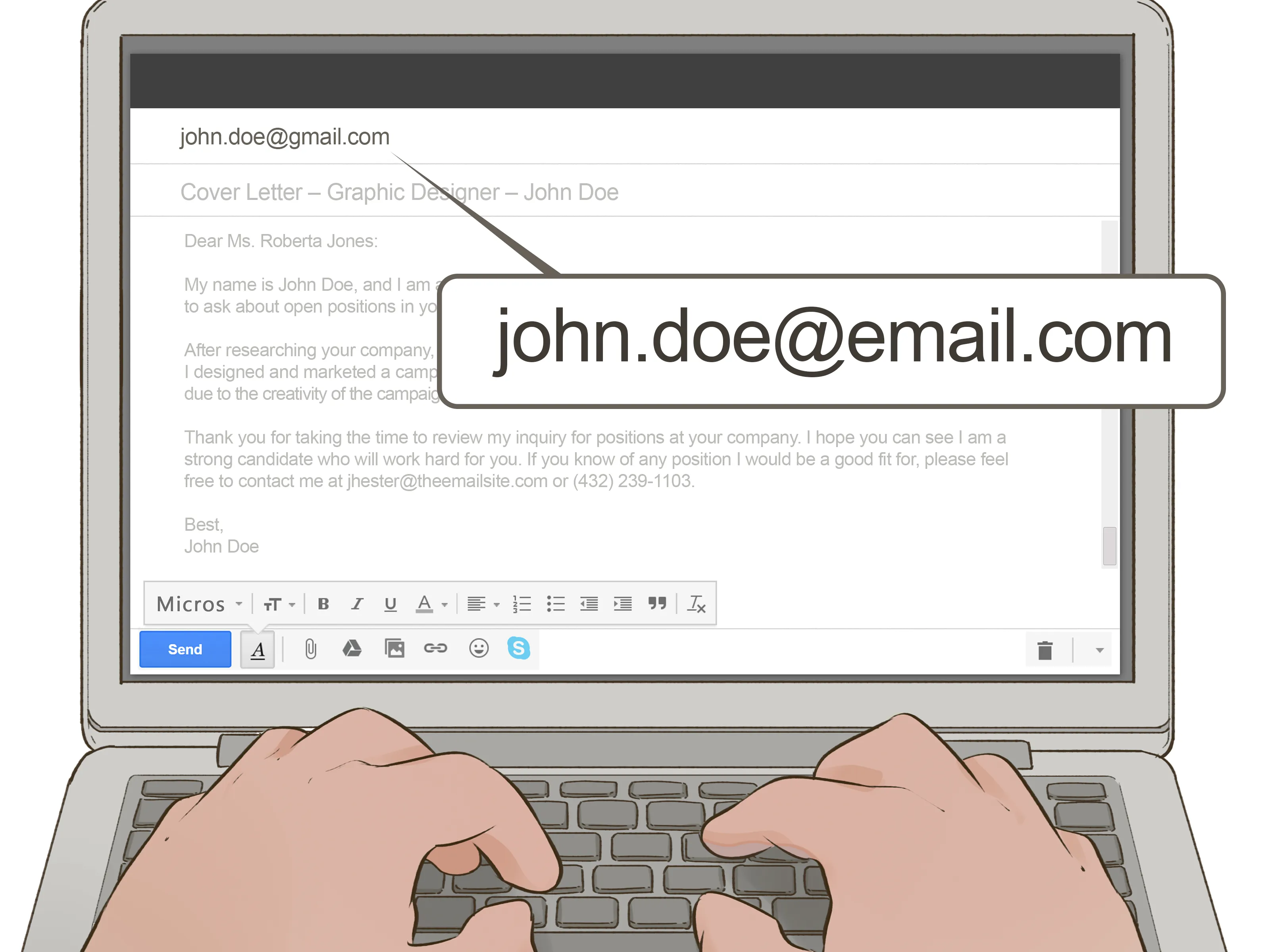
The Perfect Email Subject Line
The subject line is the first thing a potential employer sees, so make it count. It should be clear, concise, and immediately identify the purpose of your email. Avoid vague phrases like “Job Application”. Instead, use something like “Application for [Job Title] - [Your Name]” or “[Job Title] Application - Referral from [Name]” This provides context and helps the recipient quickly understand what your email is about. Always double-check the job posting for any specific instructions or required subject line formats. A well-crafted subject line increases the chances of your email being opened and read, setting a positive tone from the start. It’s the digital handshake, making a first impression before the body of your email is even viewed.
Crafting Your Email Body
Your email body should be a brief, professional introduction. It should complement your cover letter and resume, not replicate them. Keep it concise, using clear and direct language. Avoid overly casual or informal tones. The email body serves as a bridge between the subject line and the attachments, providing a brief overview of your application and highlighting your interest in the position. Think of it as a quick pitch – enough to pique the reader’s interest and prompt them to open your attached documents. A well-written email body shows you’ve put thought into your application and respect the recipient’s time.
Start with a Professional Greeting

Begin with a formal greeting. ‘Dear Mr./Ms./Mx. [Last Name]’ is the standard. If you don’t know the hiring manager’s name, use ‘Dear Hiring Manager’ or ‘Dear [Department] Team’. Avoid overly casual greetings like ‘Hi’ or ‘Hello’ unless the company culture explicitly encourages it. Always double-check the correct spelling of the recipient’s name. A personalized greeting shows you’ve done your research and are paying attention to detail. Addressing the recipient correctly sets a professional tone from the very beginning of your email communication.
Briefly Introduce Yourself
Provide a concise introduction, stating your name and the position you’re applying for. Mention where you saw the job posting (e.g., company website, LinkedIn, etc.) to provide context. This helps the recipient quickly understand the purpose of your email. Keep it brief – a sentence or two is sufficient. The goal is to immediately connect your email to the specific job application, streamlining the process for the hiring manager. This quick introduction also shows you are organized and efficient in your communication style.
Highlight Key Skills & Experience
In one or two sentences, briefly highlight your most relevant skills and experience that align with the job requirements. This is not the place to go into detail; instead, tease the reader with a glimpse of your qualifications. Mention specific accomplishments or keywords from the job description to show you’ve tailored your application. This section serves as a preview of what the recipient will find in your attached cover letter and resume. This strategic highlighting ensures that the most relevant aspects of your profile are immediately apparent, capturing the hiring manager’s attention.
Express Your Enthusiasm

Convey your enthusiasm for the position and the company. Show that you’ve done your research and are genuinely interested in the opportunity. Briefly mention why you are excited about the role or company culture. A simple statement like, ‘I am particularly excited about [specific aspect of the role/company]’ can go a long way. Genuine enthusiasm demonstrates your interest and makes a positive impression. This is a crucial step, as it can distinguish your application from others and underscore your personal investment in the job opportunity.
Closing Your Email
End with a professional closing such as ‘Sincerely’, ‘Best regards’, or ‘Thank you for your consideration’. Include a call to action, such as ‘I look forward to hearing from you’ or ‘Thank you for your time and consideration’. Always include your full name, and consider adding your phone number and LinkedIn profile URL for easy access. Proofread the entire email before sending to ensure a polished and professional communication. A strong closing reinforces your professionalism and makes it easy for the recipient to contact you.
Attaching Your Cover Letter and Resume
Attach your cover letter and resume as separate PDF files. PDFs are the preferred format because they preserve the formatting of your documents, ensuring that the layout remains consistent regardless of the recipient’s operating system or software. Avoid sending documents in other formats, such as DOCX, unless specifically requested. Verify that both attachments are included before sending. Double-check that the correct versions of your cover letter and resume are attached. Ensure the files are easily accessible and named properly.
File Naming Conventions

Use clear and professional file names for your attachments. Include your name and the document type in the file name. Examples: ‘JaneDoe_CoverLetter.pdf’ and ‘JaneDoe_Resume.pdf’. Avoid generic file names like ‘Resume.pdf’ or ‘CoverLetter.pdf’, as they can easily get mixed up. Using a consistent and easy-to-understand file naming system shows attention to detail and makes it easier for the recipient to manage and identify your application documents. Following standard file naming conventions can make a significant difference.
Choosing the Right File Format
Always save your documents as PDFs. PDFs preserve formatting, ensuring that your cover letter and resume appear as intended. This is especially important for documents with tables, images, or specific layouts. PDFs are also universally compatible, meaning the recipient can open the files on any device. Avoid using DOCX or other formats unless the job posting specifically requests them. Using the right format ensures that your application is viewed correctly, demonstrating professionalism and attention to detail.
Emailing Cover Letter and Resume Best Practices
Before sending your email, it’s essential to implement a few best practices. Following these guidelines will improve the quality and efficacy of your email and your chances of landing the job. These steps help guarantee that you present yourself in the best possible light. Taking this step is essential for showing professionalism and respect to the hiring manager and the company.
Proofreading Your Email

Thoroughly proofread your email, cover letter, and resume for any grammatical errors, spelling mistakes, or typos. Errors can damage your credibility. Use a spell-checker and grammar-checker, but also read through the documents carefully yourself. Consider having a friend or family member review them as well. Attention to detail is a key quality employers look for, and errors can make it seem as though you do not care. A polished and error-free application demonstrates your professionalism and seriousness about the opportunity. This also shows respect for the reader’s time and attention.
Sending a Test Email
Before sending your email, send a test email to yourself to ensure that the formatting, attachments, and links appear correctly. Check the subject line, body text, and file names. Open the attachments to make sure they are the correct versions and display properly. View your email on different devices and email clients to ensure compatibility. This step helps catch any last-minute formatting issues or broken links. A test email allows you to see your application from the recipient’s perspective. This critical step prevents any unwelcome surprises.
Following Up
If you haven’t heard back within the timeframe specified in the job posting or within a reasonable period (typically one to two weeks), it’s acceptable to send a polite follow-up email. Keep your follow-up brief and reiterate your interest in the position. Reference the job title and date of your application. You may simply state that you are following up to confirm your application was received. Refrain from being overly persistent or demanding. A follow-up shows that you are proactive. This step is acceptable, even encouraged, in the job search process.