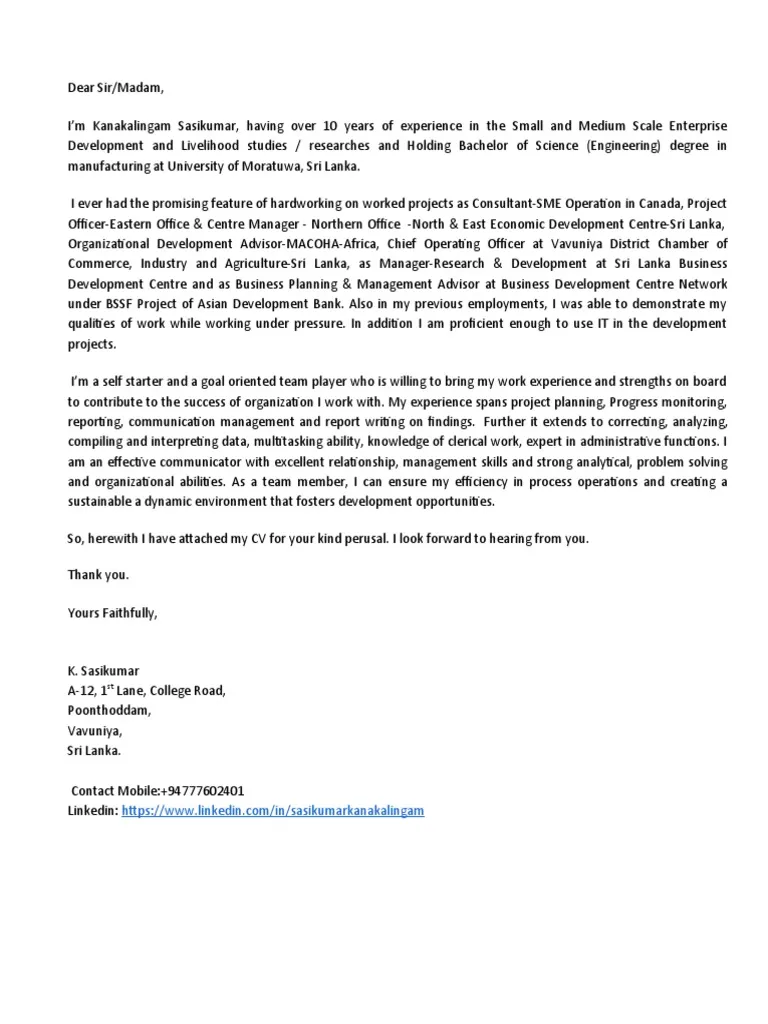
Why Attach a Cover Letter to Your Email?
Attaching a cover letter to your email is a crucial step in the job application process. It serves as a personalized introduction and an opportunity to showcase your personality, skills, and enthusiasm for the position. By attaching a cover letter, you provide a more comprehensive picture of yourself than a resume alone can offer. This allows you to tailor your application to the specific requirements of the job and highlight your relevant experiences, making a strong first impression on the hiring manager. It demonstrates your attention to detail and willingness to go the extra mile, signaling your genuine interest in the opportunity. Moreover, a well-written cover letter can help you stand out from other applicants, especially if you’re targeting competitive roles. Make sure your email cover letter attachment demonstrates the reason why they should hire you, and not just provide your basic information.
Professionalism and Presentation
Professionalism in your email cover letter attachments is essential for making a positive first impression. The presentation of your documents reflects your attention to detail and your commitment to quality. Ensure that your cover letter is well-formatted, easy to read, and free of errors. Use a professional font, such as Times New Roman, Arial, or Calibri, and maintain consistent margins and spacing throughout the document. Proofread your cover letter carefully for any grammatical errors, typos, or inconsistencies. Avoid using informal language or slang in your cover letter. Your email subject line should be clear and concise, immediately identifying the purpose of the email. A professional presentation in your attachments helps to set a positive tone and demonstrates that you are a serious candidate, worth the time to review your application.
Showcasing Your Value

A cover letter attached to your email is a perfect opportunity to showcase the value you bring to the table. It allows you to highlight your key skills, experiences, and accomplishments in a concise and compelling manner. Tailor your cover letter to the specific requirements of the job description, demonstrating how your qualifications align with the employer’s needs. Provide concrete examples of how you’ve achieved results in previous roles, using quantifiable data whenever possible. For example, instead of saying “Improved sales,” you could say “Increased sales by 15% in one quarter.” This will help you stand out in a sea of applicants. Make it clear why you’re interested in the company and the role. Showcasing your value through your cover letter helps the employer understand how you will benefit the team and company.
Best Practices for Email Cover Letter Attachments
Adhering to best practices for attaching your cover letter to your email can significantly improve your chances of success. Following these guidelines shows that you are an organized, professional, and detail-oriented candidate. Always attach your cover letter as a PDF to preserve the formatting and ensure that it appears correctly on any device or operating system. Proofread both the body of your email and your attached cover letter very carefully. Make sure your subject line is clear and informative, such as “Application for [Job Title] - [Your Name].” Keep the body of your email concise and friendly. Mention that you have attached your cover letter and resume for their review. Thank the recipient for their time and consideration, and include a professional closing, such as “Sincerely” or “Best regards.” Following these steps increases the likelihood of your application being viewed favorably by the hiring manager, and improves your chances of getting an interview.
Choosing the Right File Format
The file format you choose for your cover letter attachment can impact the way it is viewed. The best practice for attaching a cover letter is to use a PDF. This is because PDF (Portable Document Format) files preserve the original formatting and appearance of your document. No matter what device or operating system the recipient uses, your cover letter will look exactly as you intended. Unlike DOCX files, PDFs prevent accidental changes or modifications to the content. They are also widely compatible across various platforms. It ensures that all elements, including fonts, images, and layout, remain consistent. Another benefit to a PDF file is that it is more secure and difficult to alter, adding an extra layer of professionalism. The PDF format is the most professional and reliable format.
PDF vs DOCX

While both PDF and DOCX are common file formats for cover letters, PDFs are generally preferred. DOCX (Microsoft Word Document) files can be edited by the recipient if they have the necessary software. They may appear different on different devices or operating systems, which can alter the formatting. This lack of consistency can detract from the professional appearance of your application. While DOCX files are editable, PDFs are not and therefore maintain the integrity of your document. PDFs preserve your formatting, making it a better choice for ensuring that your cover letter looks exactly as intended. Unless explicitly requested otherwise by the employer, always choose PDF to maintain control over the visual presentation of your cover letter. This demonstrates professionalism and attention to detail, key attributes for a job applicant.
File Naming Conventions
Proper file naming conventions are essential for making your cover letter easily identifiable and professional. Use a clear and consistent naming scheme that includes your name and the document type. This simple practice helps the recipient quickly identify the document and organize their files. For example, a good file name would be “FirstName_LastName_CoverLetter.pdf” or “LastName_FirstName_CoverLetter.pdf.” Including the job title or the company name in the file name can be helpful, especially if you are applying for multiple positions. Avoid using generic names such as “coverletter.pdf” or “document.pdf,” as these are ambiguous and can easily get lost. Make sure the filename is easily searchable. A clear and professional file name immediately sets a positive tone and demonstrates your attention to detail, which is important for a job application.
Subject Line and Email Body
The subject line and email body are as important as the attached cover letter. The subject line should be clear, concise, and professional, instantly informing the recipient about the email’s purpose. It should also be easy to find within the recipient’s inbox. A subject line such as “Application for [Job Title] - [Your Name]” is ideal. In the email body, keep the message brief, friendly, and professional. Start by greeting the recipient appropriately, such as “Dear [Hiring Manager’s Name]” or “Dear Hiring Team.” Briefly state the purpose of your email and mention that you have attached your cover letter and resume. Express your interest in the position and the company. Thank the recipient for their time and consideration and include a professional closing, such as “Sincerely” or “Best regards,” followed by your name. Ensure all your contact information is available.
Clear and Concise Language

Using clear and concise language in both your email and attached cover letter is crucial for effective communication. Avoid using jargon, technical terms, or overly complex sentences that can confuse the reader. Get straight to the point, and convey your message efficiently. Use action verbs and active voice to make your writing more engaging and dynamic. Ensure that every sentence serves a purpose. Eliminate any unnecessary words or phrases. Be specific and provide concrete examples to support your claims. Proofread your writing carefully to eliminate any grammatical errors, typos, or inconsistencies. Clear and concise language shows that you can express your ideas clearly and professionally, which is essential in any workplace. This will help the hiring manager quickly understand your qualifications and why you are a good fit for the role.
Previewing Your Attachment
Before sending your email, previewing your attached cover letter is essential to ensure everything looks as intended. Open the PDF and carefully review the document for any formatting issues, errors, or inconsistencies. Ensure that all elements, such as fonts, images, and layout, appear correctly. Check that the file name is correct and that the document is the correct version. Verify that all your contact information is accurate and up-to-date. Consider sending the email to yourself first to see how it looks in your own inbox. This will help you identify any potential problems before the recipient sees your application. Make sure you have proofread the email body as well. A thorough preview allows you to catch any errors and make necessary adjustments before the email is sent. Take the time to review every aspect to showcase your professionalism and attention to detail.
Formatting Your Cover Letter for Attachment
Proper formatting is essential for a professional-looking cover letter, and it is even more important once it is attached to an email. Start with a professional font, like Times New Roman, Arial, or Calibri, and use a font size that is easy to read, typically 11 or 12 points. Maintain consistent margins and spacing throughout the document. Use single spacing within paragraphs and double spacing between paragraphs. Use clear headings and subheadings to organize the information. Use bullet points to highlight key skills and accomplishments. Ensure your contact information is prominently displayed at the top of the document. Use a simple and clean layout that is easy to scan. Avoid excessive use of bolding, italics, or underlining, as these can distract the reader. Proper formatting makes your cover letter visually appealing and easy to read, which helps you make a positive first impression.
Font Selection and Readability

The font you choose for your cover letter significantly impacts its readability and overall presentation. Select a professional and easy-to-read font, such as Times New Roman, Arial, or Calibri. These fonts are widely recognized, and they are designed to be clear and legible. Use a font size of 11 or 12 points to ensure that the text is easy to read without being too large or too small. Avoid using overly fancy or decorative fonts that can be difficult to read or appear unprofessional. Pay attention to the spacing between lines and paragraphs. Proper spacing makes the text easier to scan and digest. Aim for a clean and uncluttered layout that is easy on the eyes. The goal is to create a document that is professional and easy to read. Clear and readable fonts make your cover letter accessible and enjoyable for the hiring manager, increasing the chances that your application will be carefully considered.
Margins and Spacing
Correct margins and spacing are vital for creating a professional and visually appealing cover letter. Set margins of 1 inch on all sides of the document. Consistent margins create a balanced and uncluttered look. Use single spacing within paragraphs and double spacing between paragraphs. This helps to separate the ideas and make the text easier to read. Avoid using excessive spacing, as it can make the document look disorganized. Make sure there is sufficient space around headings and subheadings to make them stand out. Proper margins and spacing guide the reader’s eye and make your cover letter more accessible and enjoyable to read. This attention to detail shows your professionalism and commitment to producing high-quality work, and increases your chances of making a positive impression on the recipient of your email cover letter attachment.
Common Mistakes to Avoid
Several common mistakes can undermine your email cover letter attachment, making it less effective. Ensure that you are not making these mistakes. Incorrect file format is a major issue. Using DOCX instead of PDF can lead to formatting problems. Make sure your cover letter is a PDF. Poorly formatted cover letters with inconsistent margins, spacing, or font choices are also a red flag. Always format your cover letter before sending it. Not proofreading your attachment is another common mistake. Always proofread it to check for grammar, spelling, and punctuation errors. Failing to customize your cover letter for each job application demonstrates a lack of effort and interest. Avoid generic cover letters. A vague and unclear subject line also makes your email less likely to be opened. Missing or incorrect contact information and including irrelevant information are also common mistakes. Avoiding these mistakes can greatly improve your chances of making a good first impression and getting an interview.
Incorrect File Format

Using the wrong file format for your email cover letter attachment is a significant mistake. Always attach your cover letter as a PDF (Portable Document Format) file. PDF preserves the formatting and layout of your document, ensuring that it appears correctly regardless of the recipient’s device or operating system. DOCX files can be altered by the recipient if they have the appropriate software, potentially leading to formatting problems and making your cover letter look unprofessional. While some employers might accept or even request DOCX, PDF is the safest and most reliable option for email cover letter attachments. Make sure your cover letter appears as intended by using the PDF format. Using the correct file format displays professionalism and attention to detail, showing that you care about the quality of your application materials.
Poorly Formatted Cover Letter
A poorly formatted cover letter can hurt your chances of making a good first impression, and it also indicates that you do not have great attention to detail. Ensure that your cover letter is well-organized and easy to read. Use a professional font, such as Times New Roman, Arial, or Calibri, and maintain consistent margins of 1 inch on all sides of the document. Use single spacing within paragraphs and double spacing between paragraphs. Use clear headings and subheadings to organize the information and make it easy to scan. A messy layout with inconsistent formatting, such as uneven margins, different font sizes, or poor spacing, can make your cover letter difficult to read and unprofessional. Take the time to format your cover letter properly to make your content readable and make a positive impact on the hiring manager.
Not Proofreading Your Attachment
Failing to proofread your cover letter attachment is one of the most common mistakes job applicants make. Proofreading is a critical step. Carefully review your cover letter for grammatical errors, spelling mistakes, typos, and punctuation errors. These errors can damage your credibility and make you appear careless or unprofessional. Read your cover letter multiple times, and consider using a proofreading tool. Ask a friend or family member to review your cover letter before you submit it. Make sure that all the information is accurate and up to date. Errors can make your cover letter unreadable. Always proofread to increase your chances of success.
Tools and Resources for Cover Letters and Attachments

Several tools and resources can help you create and manage your email cover letter attachments efficiently. You can use online cover letter builders and PDF converters to streamline the process. These tools can save you time and ensure your documents are professional and well-formatted. Consider using a cover letter builder to create a customized cover letter. Many online cover letter builders offer templates and suggestions for writing a compelling cover letter. Use a PDF converter to convert your cover letter from other formats, such as DOCX, to PDF to ensure that it appears correctly. Many free online PDF converters are available. Use a grammar and spell checker, like Grammarly, to catch any errors in your writing. By using these resources, you can create polished, professional, and effective cover letter attachments.
Online Cover Letter Builders
Online cover letter builders are valuable tools that can help you create professional-looking cover letters quickly and easily. These platforms offer various templates, prompts, and suggestions to guide you through the writing process. Simply input your information and the builder will automatically format your cover letter. Many cover letter builders include features such as spell-checking, grammar-checking, and keyword optimization. Some also provide the option to customize your cover letter to match your resume and the specific requirements of the job. Using an online cover letter builder can save you time and effort. The benefits can include better-looking cover letters, saving you valuable time, and helping you create a professional cover letter that will impress potential employers. Explore and take advantage of them.
PDF Converters
PDF converters are essential tools for ensuring your cover letter is correctly formatted and ready to be attached to your email. These tools convert your cover letter from various formats, such as DOCX or ODT, to PDF. Converting to PDF ensures that your cover letter maintains its original formatting, layout, and appearance across all devices and operating systems. When choosing a PDF converter, look for one that is easy to use, offers various conversion options, and maintains the original quality of your document. Several free online PDF converters are available, making it easy to convert your cover letter. PDF converters are an important tool in the process.
Final Checklist for Email Cover Letter Attachments
Before sending your email with the attached cover letter, it’s helpful to use a final checklist to ensure that everything is in order. Verify that the file name is clear and professional, including your name and the document type. Confirm the file format is PDF to preserve your formatting. Review the subject line and the body of your email for clarity and professionalism. Ensure that your email is addressed correctly, with the hiring manager’s name or the appropriate contact person. Proofread your attachment one last time for any errors. Preview your email and attachment to confirm that everything appears as intended. Once you’ve completed these steps, you can confidently send your email, knowing that your cover letter attachment is polished and ready to impress the recipient. These final checks can help you increase your chances of landing an interview and ultimately getting the job.